
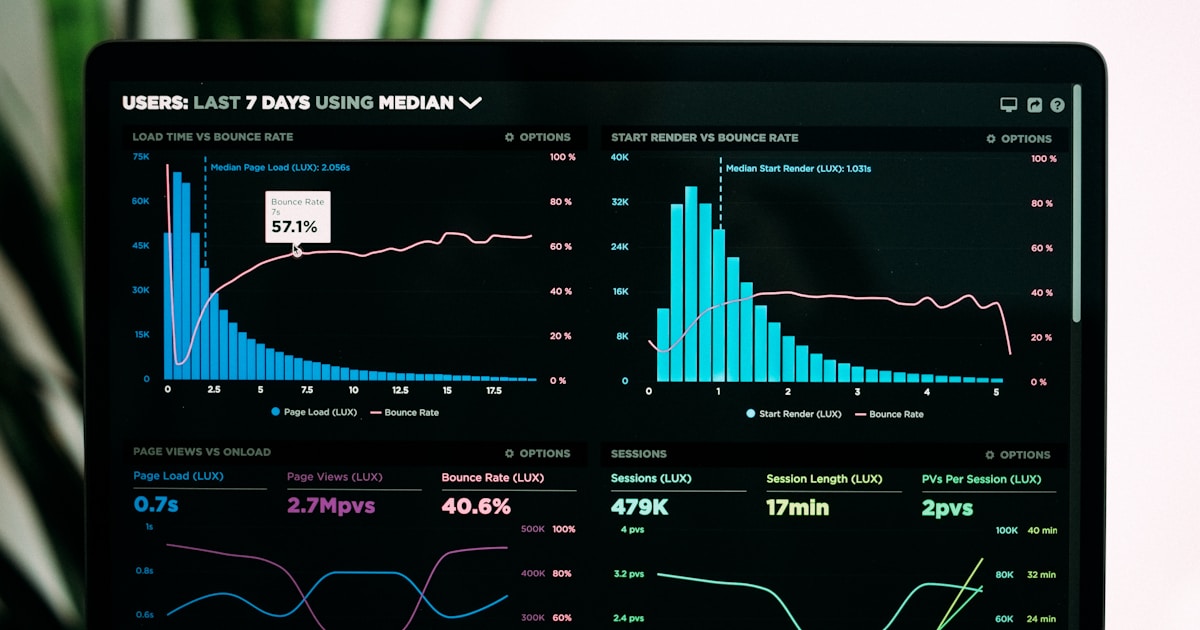
Зачем нужен мониторинг
Без мониторинга вы узнаёте о проблемах от пользователей. С мониторингом — раньше них. Логирование, трекинг ошибок и метрики — основа надёжных приложений.
Sentry — трекинг ошибок
npm install @sentry/nextjs// sentry.client.config.ts
import * as Sentry from '@sentry/nextjs';
Sentry.init({
dsn: process.env.NEXT_PUBLIC_SENTRY_DSN,
environment: process.env.NODE_ENV,
tracesSampleRate: 1.0,
replaysSessionSampleRate: 0.1,
replaysOnErrorSampleRate: 1.0,
integrations: [
new Sentry.Replay({
maskAllText: false,
blockAllMedia: false
})
]
});
// sentry.server.config.ts
import * as Sentry from '@sentry/nextjs';
Sentry.init({
dsn: process.env.SENTRY_DSN,
environment: process.env.NODE_ENV,
tracesSampleRate: 1.0
});
// Ручной захват ошибки
try {
await riskyOperation();
} catch (error) {
Sentry.captureException(error, {
tags: { feature: 'checkout' },
extra: { orderId: '123' }
});
}
// Добавление контекста пользователя
Sentry.setUser({
id: user.id,
email: user.email,
username: user.name
});
// Breadcrumbs для отладки
Sentry.addBreadcrumb({
category: 'auth',
message: 'User logged in',
level: 'info'
});Структурированные логи
import pino from 'pino';

// Создание логгера
const logger = pino({
  level: process.env.LOG_LEVEL || 'info',
  transport: {
    target: 'pino-pretty',
    options: {
      colorize: process.env.NODE_ENV !== 'production'
    }
  },
  base: {
    env: process.env.NODE_ENV,
    version: process.env.APP_VERSION
  }
});

// Использование
logger.info({ userId: '123', action: 'login' }, 'User logged in');
logger.error({ err, orderId: '456' }, 'Payment failed');
logger.warn({ threshold: 0.9, current: 0.95 }, 'Memory usage high');

// Child logger с контекстом
const requestLogger = logger.child({
  requestId: crypto.randomUUID(),
  path: req.path
});

requestLogger.info('Request started');
// ... обработка
requestLogger.info({ duration: 150 }, 'Request completed');

// Express middleware
import pinoHttp from 'pino-http';

app.use(pinoHttp({
  logger,
  customLogLevel: (req, res, err) => {
    if (res.statusCode >= 500) return 'error';
    if (res.statusCode >= 400) return 'warn';
    return 'info';
  },
  customSuccessMessage: (req, res) => {
    return `${req.method} ${req.url} - ${res.statusCode}`;
  }
}));
Метрики
import { Counter, Histogram, Registry } from 'prom-client';

const register = new Registry();

// Счётчик запросов
const httpRequestsTotal = new Counter({
  name: 'http_requests_total',
  help: 'Total number of HTTP requests',
  labelNames: ['method', 'path', 'status'],
  registers: [register]
});

// Гистограмма времени ответа
const httpRequestDuration = new Histogram({
  name: 'http_request_duration_seconds',
  help: 'HTTP request duration in seconds',
  labelNames: ['method', 'path'],
  buckets: [0.1, 0.5, 1, 2, 5],
  registers: [register]
});

// Middleware для сбора метрик
app.use((req, res, next) => {
  const start = Date.now();

  res.on('finish', () => {
    const duration = (Date.now() - start) / 1000;

    httpRequestsTotal.inc({
      method: req.method,
      path: req.route?.path || req.path,
      status: res.statusCode
    });

    httpRequestDuration.observe(
      { method: req.method, path: req.route?.path || req.path },
      duration
    );
  });

  next();
});

// Endpoint для Prometheus
app.get('/metrics', async (req, res) => {
  res.set('Content-Type', register.contentType);
  res.end(await register.metrics());
});
Алерты
// Отправка алерта в Slack
async function sendSlackAlert(message: string, severity: 'info' | 'warning' | 'error') {
  const colors = {
    info: '#36a64f',
    warning: '#ff9800',
    error: '#f44336'
  };

  await fetch(process.env.SLACK_WEBHOOK_URL!, {
    method: 'POST',
    headers: { 'Content-Type': 'application/json' },
    body: JSON.stringify({
      attachments: [{
        color: colors[severity],
        title: `[${severity.toUpperCase()}] Alert`,
        text: message,
        ts: Math.floor(Date.now() / 1000)
      }]
    })
  });
}

// Алерт при критической ошибке
process.on('uncaughtException', async (error) => {
  logger.fatal({ err: error }, 'Uncaught exception');
  Sentry.captureException(error);
  await sendSlackAlert(`Uncaught exception: ${error.message}`, 'error');
  process.exit(1);
});

// Алерт при высокой нагрузке
setInterval(async () => {
  const memUsage = process.memoryUsage();
  const heapUsedPercent = memUsage.heapUsed / memUsage.heapTotal;

  if (heapUsedPercent > 0.9) {
    await sendSlackAlert(
      `High memory usage: ${(heapUsedPercent * 100).toFixed(1)}%`,
      'warning'
    );
  }
}, 60000);
Health Checks
// app/api/health/route.ts
export async function GET() {
  const checks = {
    database: await checkDatabase(),
    redis: await checkRedis(),
    memory: checkMemory()
  };

  const healthy = Object.values(checks).every(c => c.status === 'ok');

  return Response.json(
    { status: healthy ? 'healthy' : 'unhealthy', checks },
    { status: healthy ? 200 : 503 }
  );
}

async function checkDatabase() {
  try {
    await prisma.$queryRaw`SELECT 1`;
    return { status: 'ok' };
  } catch (error) {
    return { status: 'error', message: error.message };
  }
}

async function checkRedis() {
  try {
    await redis.ping();
    return { status: 'ok' };
  } catch (error) {
    return { status: 'error', message: error.message };
  }
}

function checkMemory() {
  const usage = process.memoryUsage();
  const heapPercent = usage.heapUsed / usage.heapTotal;

  return {
    status: heapPercent < 0.9 ? 'ok' : 'warning',
    heapUsed: Math.round(usage.heapUsed / 1024 / 1024) + 'MB'
  };
}
Заключение
Мониторинг — это инвестиция в стабильность. Sentry ловит ошибки, структурированные логи помогают отладке, метрики показывают тренды, алерты предупреждают о проблемах. Настройте всё до production.
Если вы не мониторите — вы не знаете, что происходит. А если не знаете — не можете исправить.